

Audience configuration in Performance Max campaigns is a key element for properly guiding your investment. The pool of potential users is enormous, and audiences are the main tool to tell Google which type of users you want to prioritize when showing your ads.
It’s important to remember that PMax relies on Google’s artificial intelligence to discover new users that you wouldn’t reach with other campaign types.
That’s why, when managing audiences in PMax, it’s essential to understand that they work as a prioritization signal, not as a restriction. In other words, ads will not be shown only to these profiles; instead, the system will start with them and then expand reach if it detects opportunities.
This is what differentiates them from audiences in Search, Standard Shopping, or Display campaigns, where audiences can act as strict limitations on who sees the ads.
Remember that in those campaigns, audiences can be used either as observation (to measure performance) or as targeting (to limit traffic).
This part of the campaign setup is usually completed after assets and search themes, within the audience section.
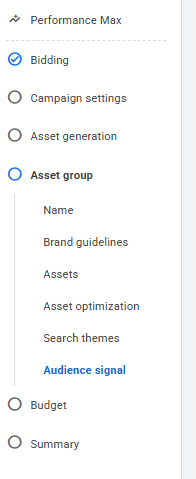
Let’s look at the options Google Ads offers in Performance Max campaigns with a practical example: a pediatric dental clinic in Zaragoza looking to generate leads.

Google will look for similar profiles.
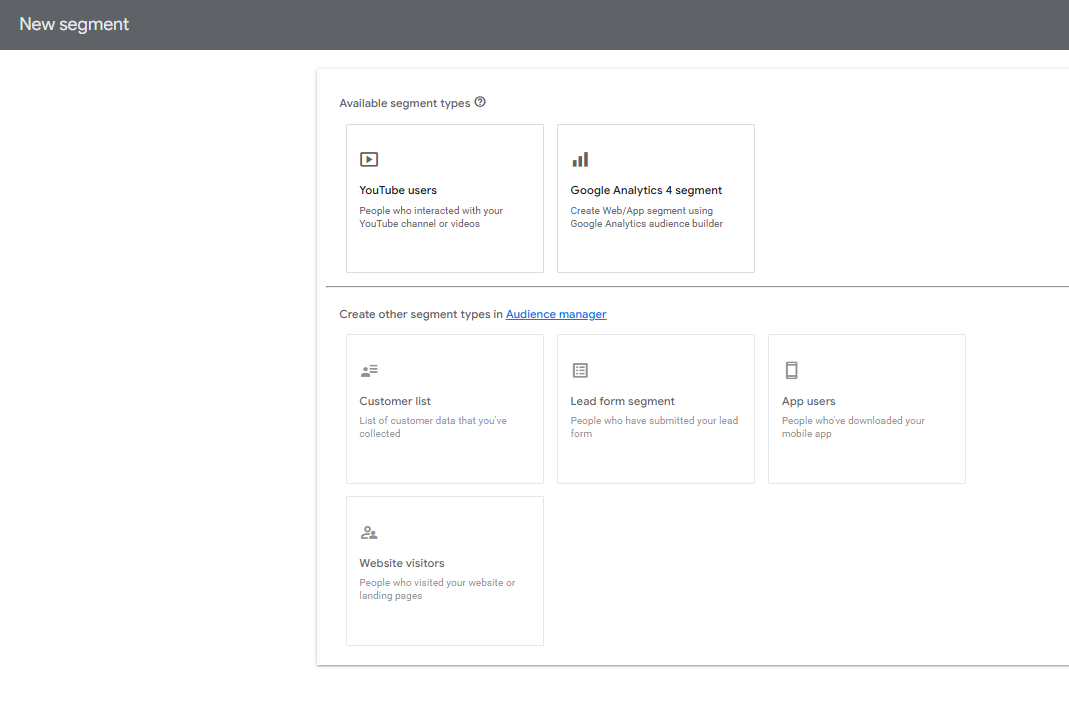
Do not overuse these, to avoid confusing the algorithm. In “New segment,” you can create more specific audiences based on data outside Google Ads.
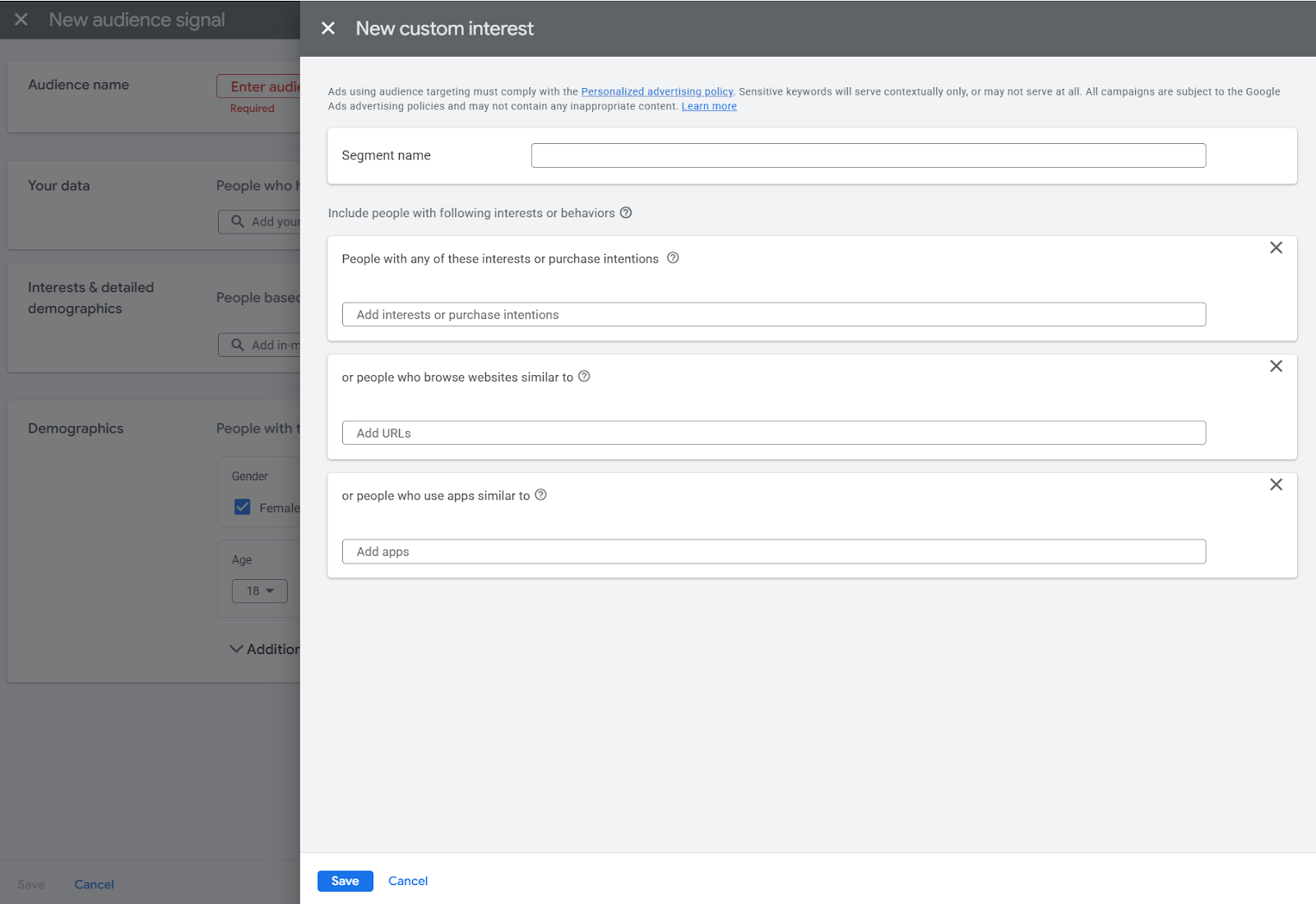
Competitors websites, apps, comparison websites
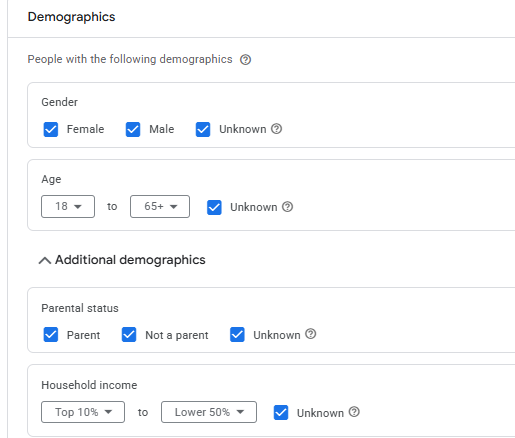
(These reflect life stages that influence behavior)
Do not confuse these with search themes. Search themes in asset groups work similarly to keywords. Here, you should add common search topics related to the audience you want to reach, even if they are not directly tied to your business.
(More general than detailed demographics, although they may overlap)
In this specific case, it would also be advisable to limit the radius to about 10 km and select Presence instead of Presence or Interest in the location settings, since users living farther away are unlikely to travel.
Some of these options are quite hidden (such as competitor websites and apps).
If you want to fill in all these fields and reach the most relevant users in detail, the best option is to create a new custom segment.
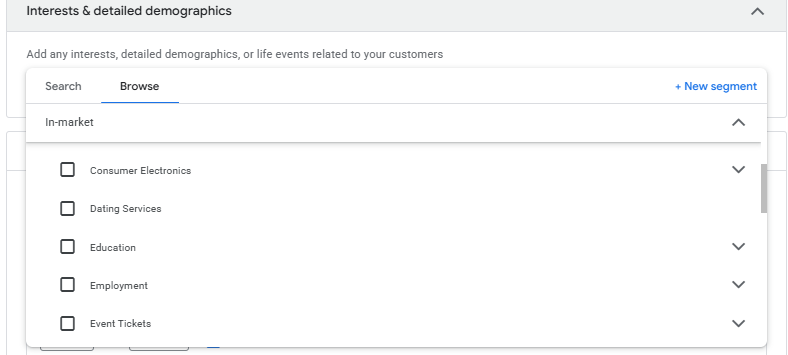
Steps: Audience signal → Add saved audience signal → New audience → Interests & detailed demographics → Browse → New segment
There you will see all the available options to complete.
As of today, when clicking “Browse > New segment” from other sections, it sometimes doesn’t allow continuation. This is why many advertisers haven’t been able to reach this level of detail. This may change as the Google Ads interface evolves.

.svg)